What is the Middle Finger Dunk AI trend?
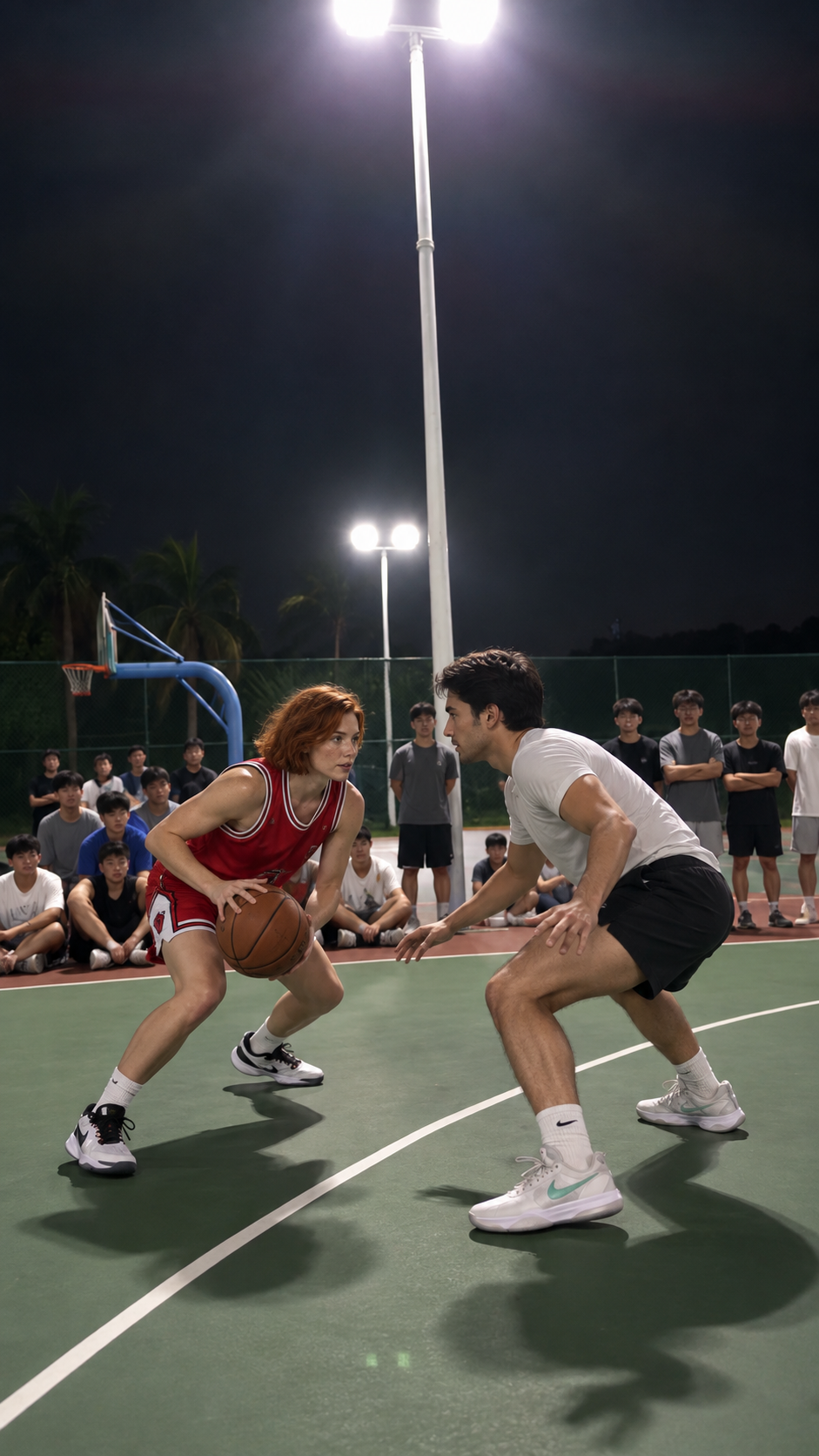
It is a basketball rivalry meme: two players face off on a night court, the attacker jumps into an airborne split and middle-finger taunt, then makes a back-facing shot. The walk toward the camera finishes the sequence. The joke is seeing familiar faces play those two roles.
You may also see the format called “basketball middle finger,” “My Prime 1v1” or “Mon prime 1v1 basket.” Watch @teuteuf6’s “Mon prime 1v1 basket” post to recognize the trend, then compare it with the actual remake above.
Our remake follows the nine-second Basketball Middle Finger motion reference shown on the generator page. Different versions of the trend use different outfits, courts and endings. The sample shows the version this tool makes.
Which two photos should you use?
Use a separate photo of each adult, with a clear face, even lighting and no other person in the frame. Avoid tiny faces, heavy blur, sunglasses and hands covering the face. Use pictures you own or have permission to use.
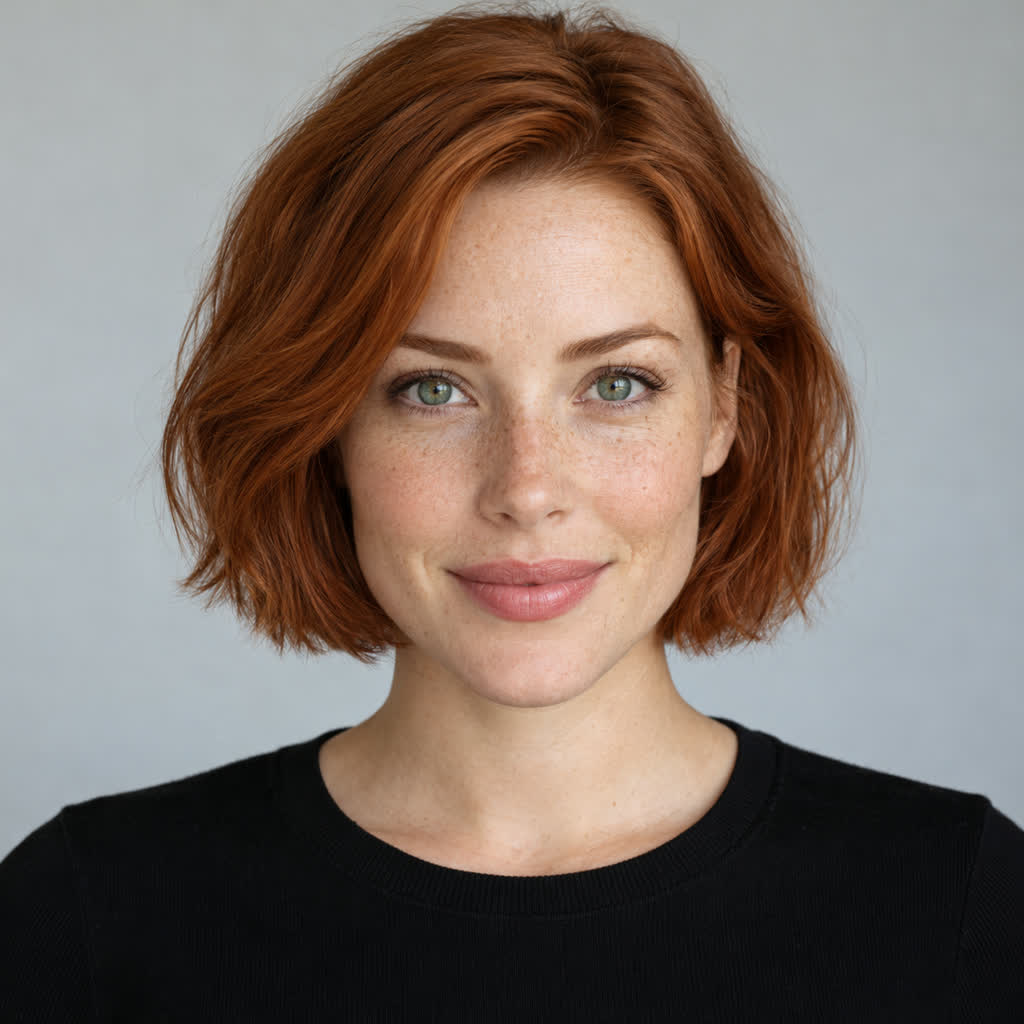

These are the two input photos used for the video above. The first upload slot is the attacker; the second is the defender. Each file can be a JPG, PNG or WebP, up to 10 MB. You do not need to upload a basketball video or write a prompt. This is a two-person basketball face-swap workflow: one photo per role, rather than a group photo.
Make the video in four steps
Upload the two players
Open the Middle Finger Dunk AI generator, sign in with Google and add one photo to each slot. Use “Swap roles” if the player order is wrong. Confirm that both people are adults and you have permission to use their photos.
Buy one video
Choose “Make my video — $9.90” and complete the PayPal checkout. One purchase includes the two-person preview, video generation and MP4 download. There is no subscription.
Check both people before the video step
The tool first creates a two-person still. Look at the faces and roles, then choose “Looks right — make video” to continue. If the preview is wrong, use “Stop here” before the video step and contact support about your purchase.
Download your highlight
Follow the saved task progress on the page. You can refresh and return while it runs. When the video is ready, download the vertical MP4 and save it on your device within seven days. The output is about nine seconds long; add music in your preferred editor if you want sound.
Check the faces and roles, not just the clothes
Before continuing, check that each face resembles its input photo and that the attacker and defender are in the intended roles. Clothing, hands and small details can change. The preview is the point to stop if either person is clearly wrong.
If you accidentally reversed the photos, correct the upload order before paying. If a task fails during generation, the video credit is restored; you can contact support if you prefer a refund. See the refund policy for details.
Questions about the basketball AI remake
Is it a free Middle Finger Dunk generator?
The original-trend link, example photos and finished sample are free to view. Creating a personalized video costs $9.90. Trying the sample photos fills the upload slots; it does not provide a free generation.
Is this a CapCut template?
This is a browser-based AI generator that puts your two people into the basketball scene. You do not need CapCut to generate or download it. You can use CapCut or another editor afterward to add music, trim the result or add a caption.
Can I do this on my phone?
Yes. Open the site in your browser, sign in, choose the photos from your device and follow the same checkout and preview steps. If you leave checkout before paying, return to the generator and use “Continue checkout” to resume the saved order.
Why is this called a basketball face swap?
Your two photos provide the identities for the attacker and defender. The generator first makes a full two-person court preview, then edits the motion reference. It is more than placing a flat face sticker over an existing clip. Check both faces and the role assignment before approving the video step.
Do I need a prompt or a reference video?
No. The tool includes the motion reference and instructions for the two roles. Your job is to choose the two photos and check the preview.
Does it include the original song?
The current remake has no audio. Add a sound you have permission to use in your video editor or the platform where you share it.
Your turn on the court.
Two photos. A preview of both players. One $9.90 video.
Choose your two players